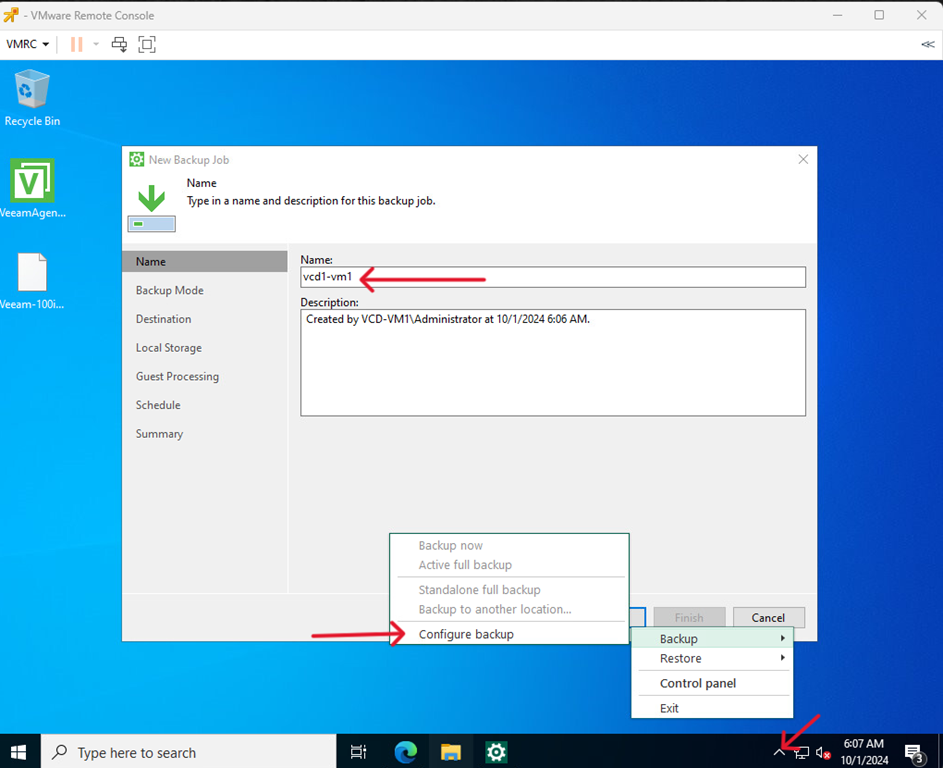
- Right-click on the Veeam icon, select Backup > Configure backup, then enter the task name and click Next.
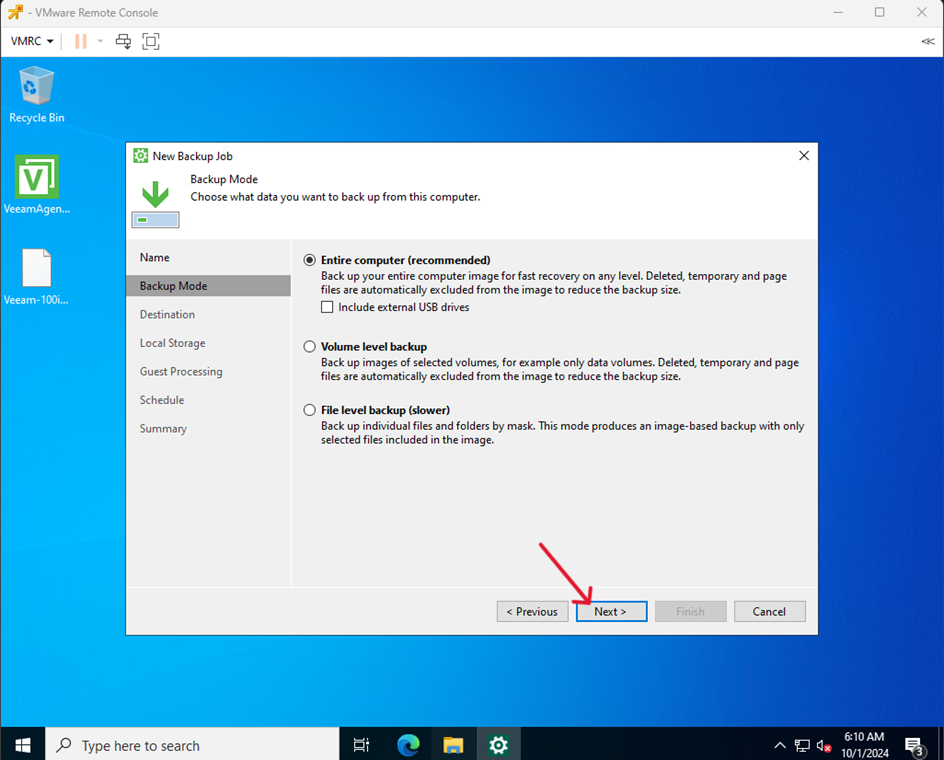
- Select backup mode and click Next
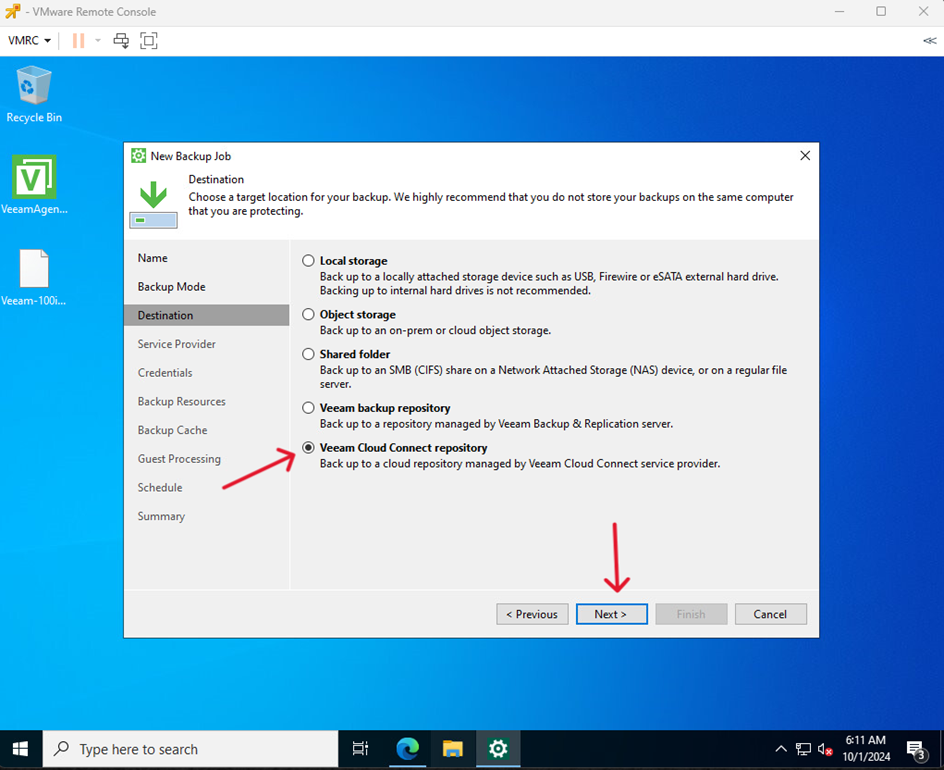
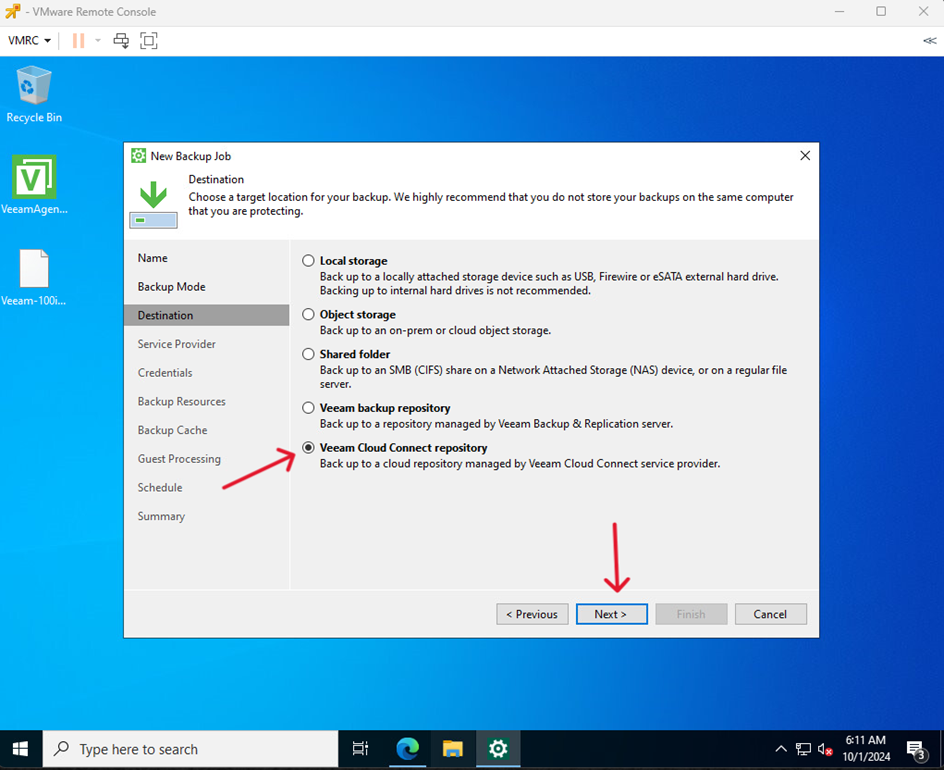
- Select Veeam Cloud Connect repository and click Next
- Enter the DNS provided by the technical department and click Next
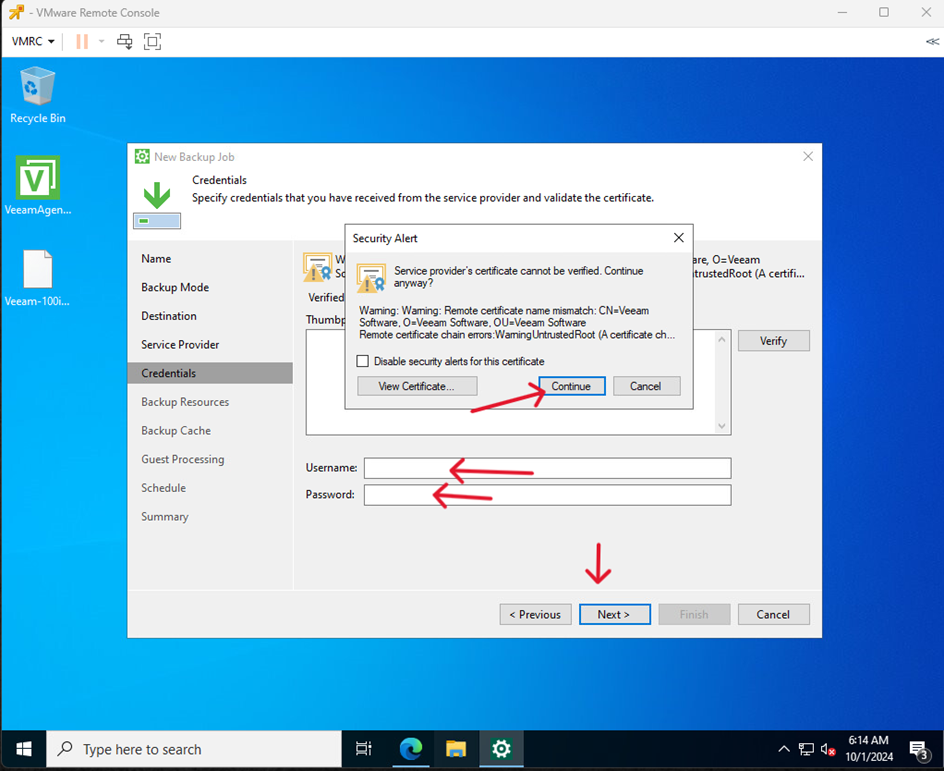
- Confirm by clicking Continue and enter the credentials received from the technical department and click Next.
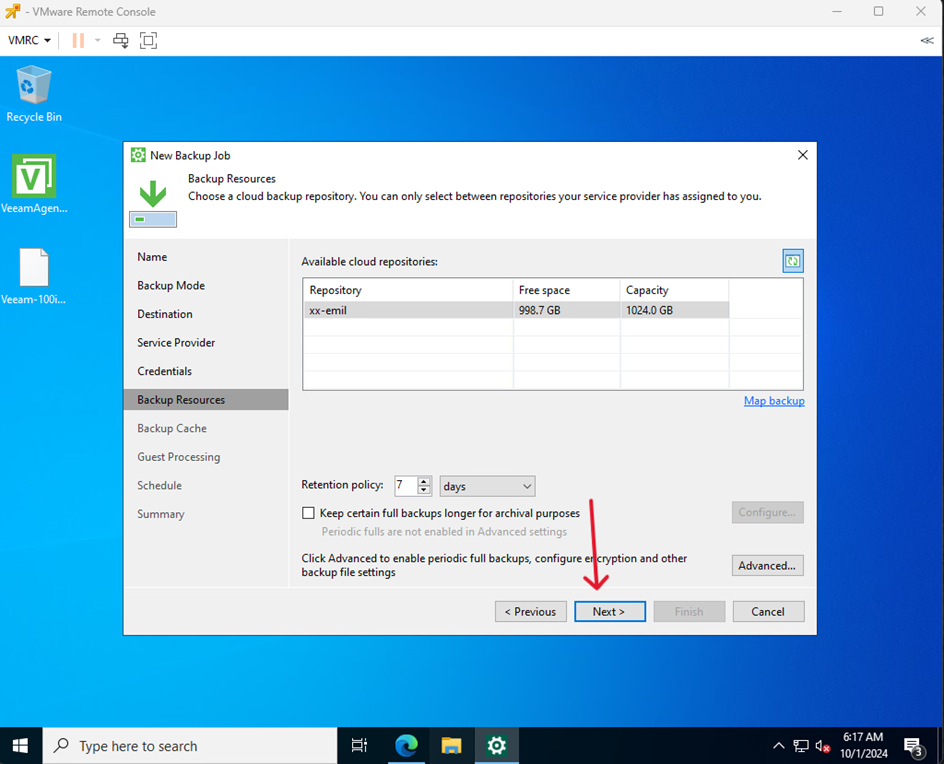
- Select a repository and click Next
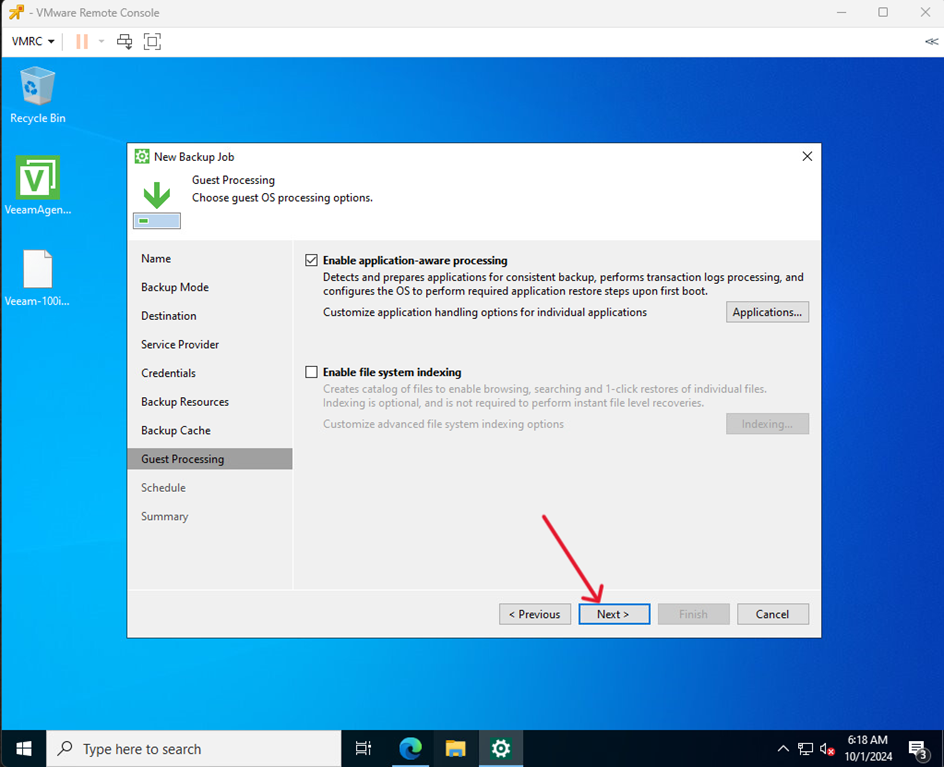
- Click Next
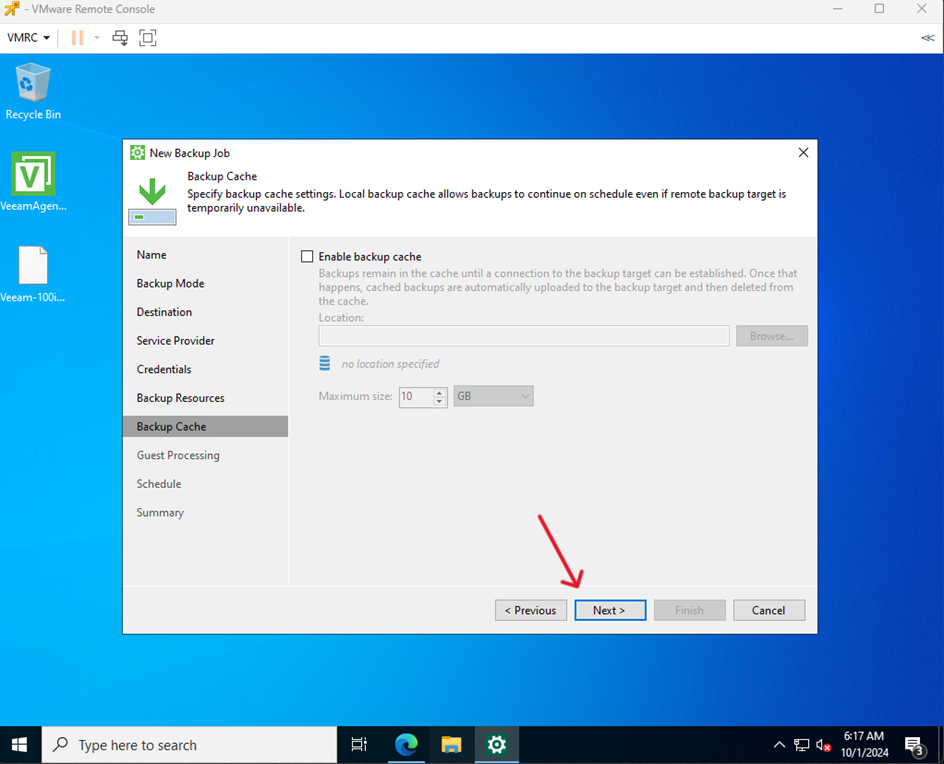
- Click Next
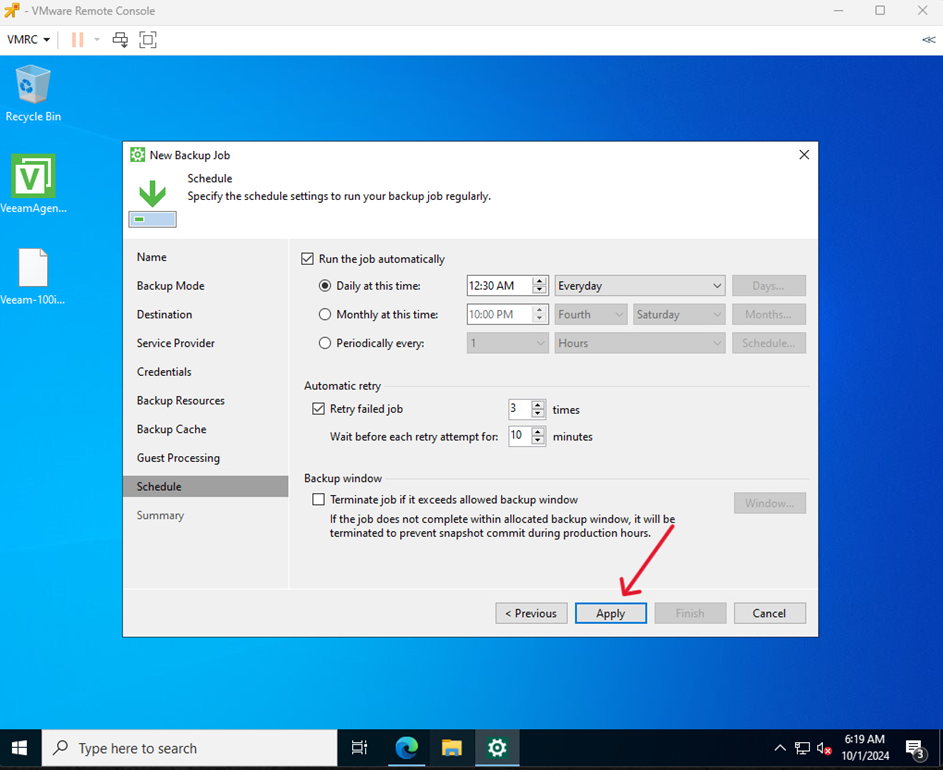
- Set a backup schedule and click Apply
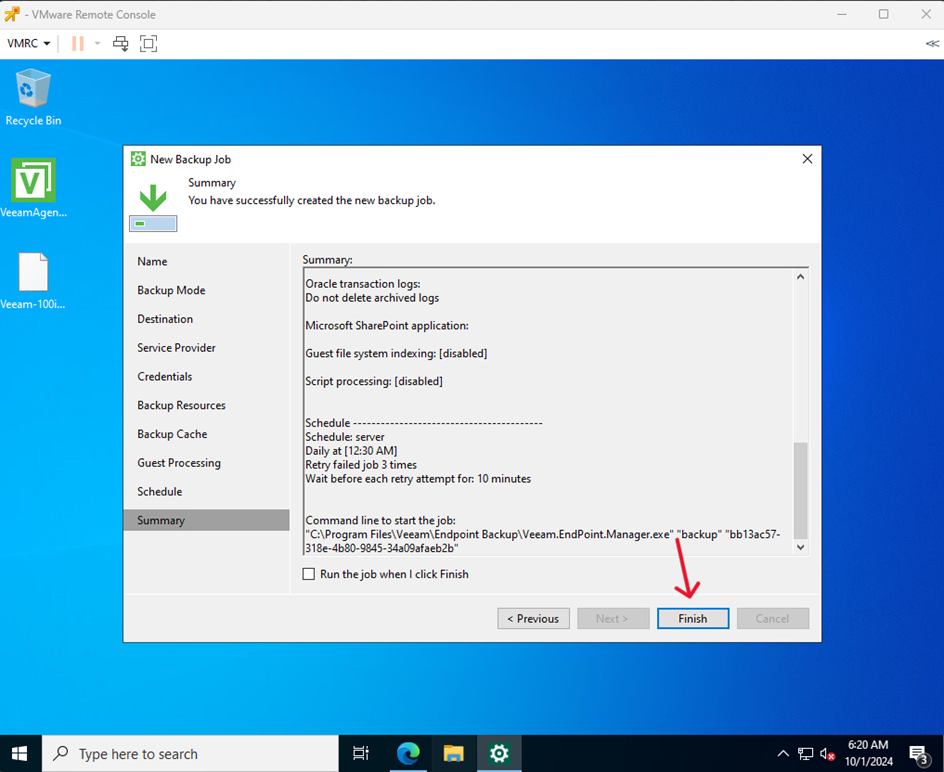
- Finish by clicking Finish