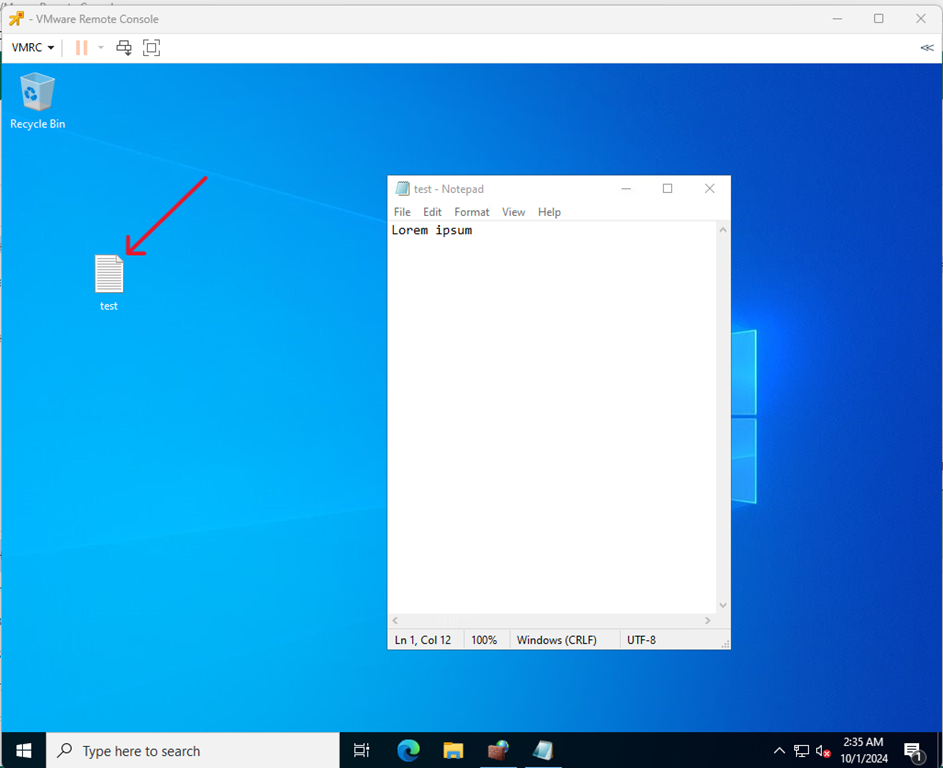
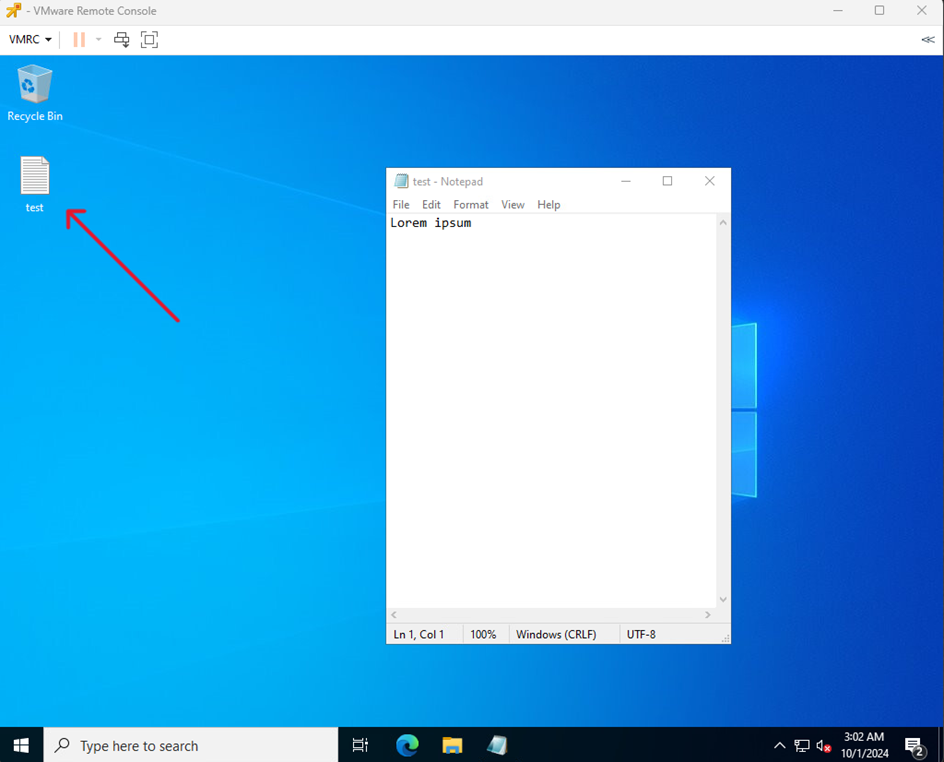
Go to the machine with the test environment and create some file.
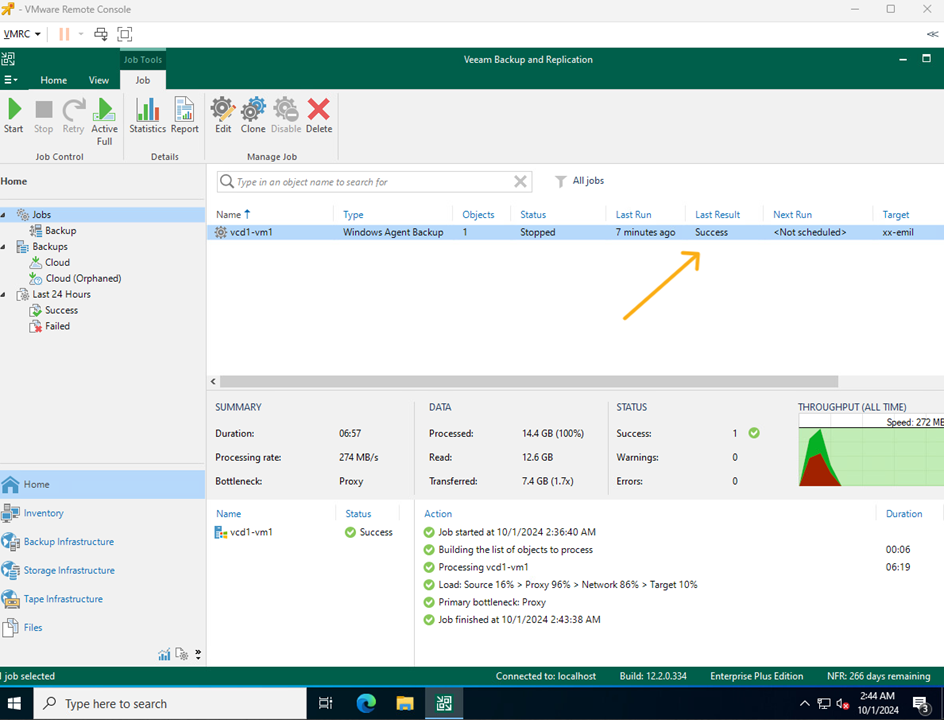
Perform a backup job.
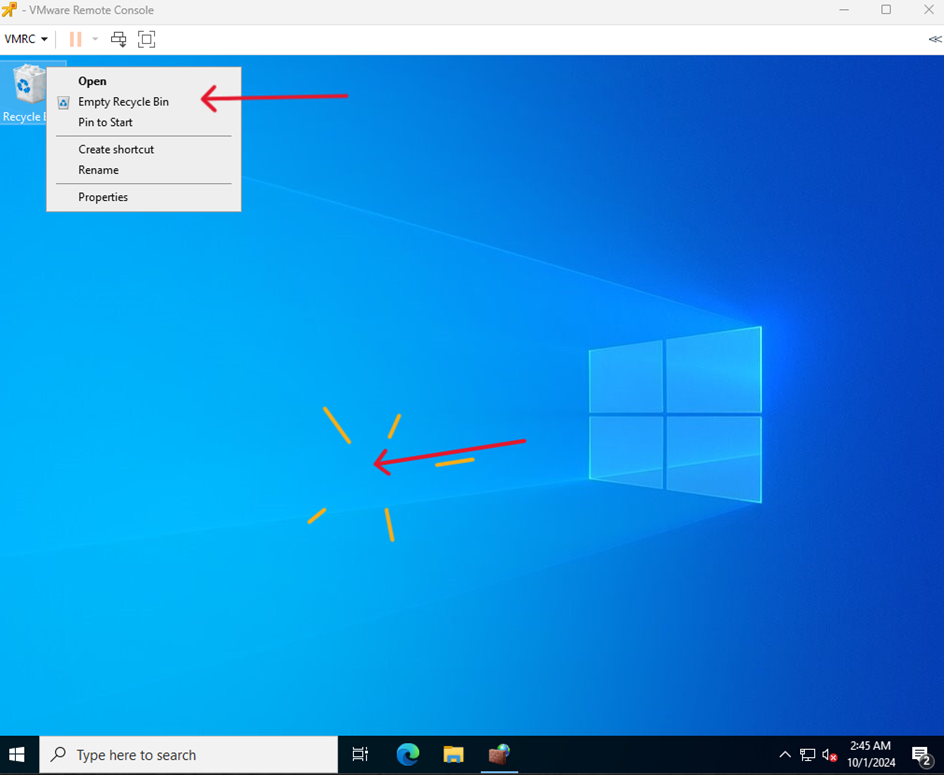
Delete the created file in the test environment machine.
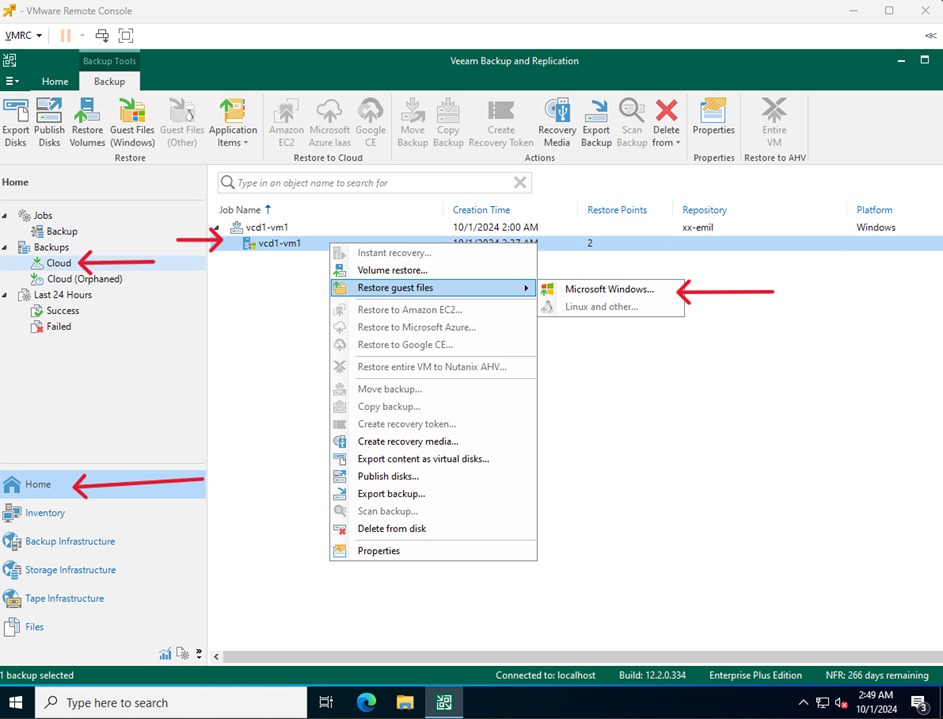
In VM with Veeam go to Home > Backups > Cloud then select the backup job you have performed, right click and select Restore guest files > Microsoft Windows…
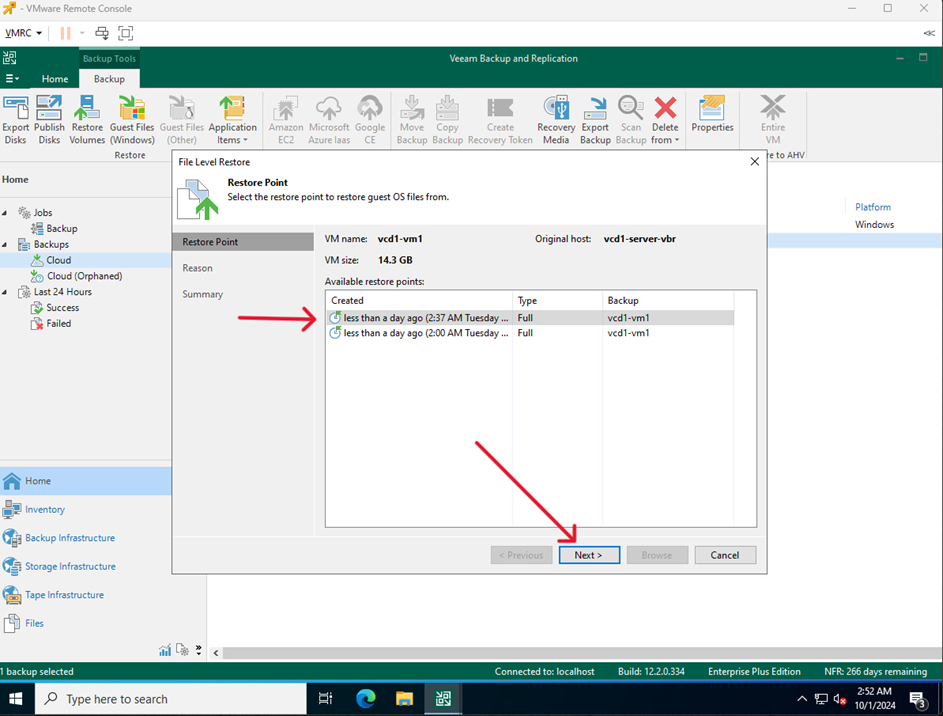
Select a restore point and click Next
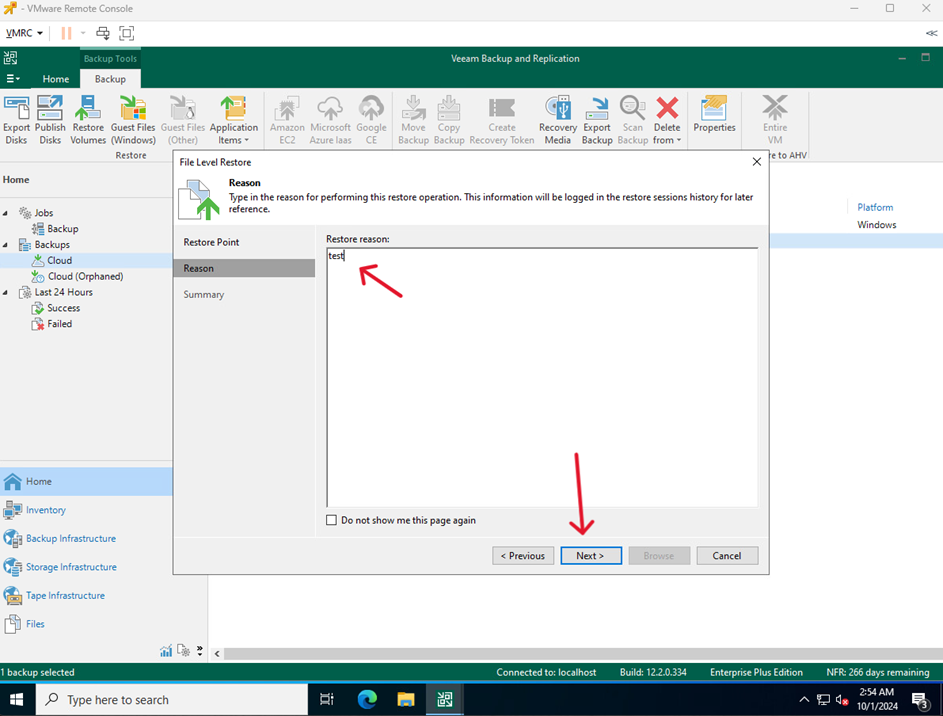
Enter the reason for the restoration and click Next
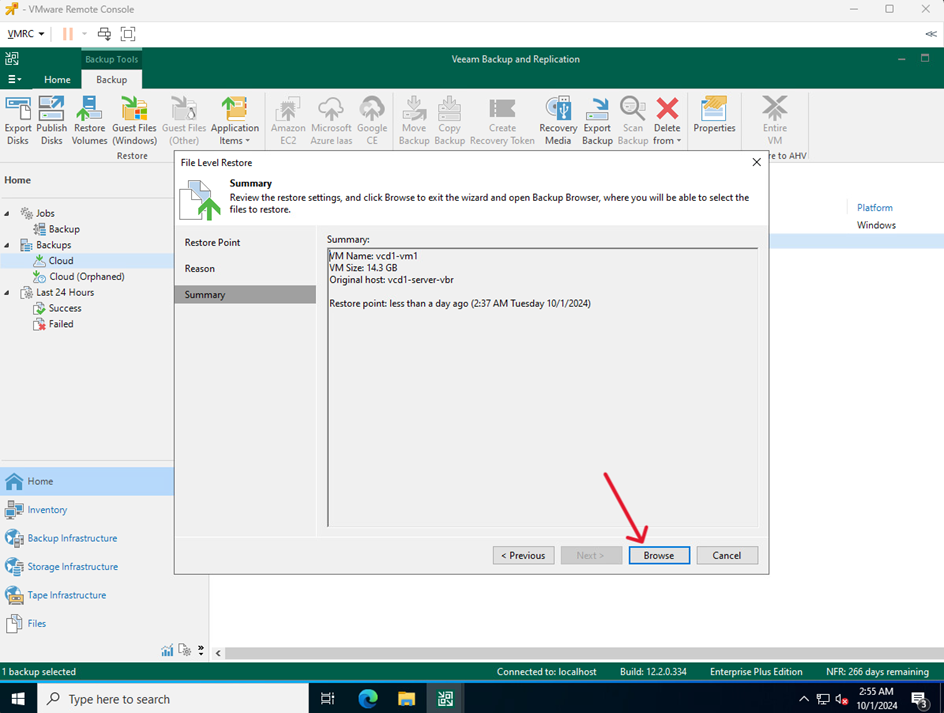
Click Browse
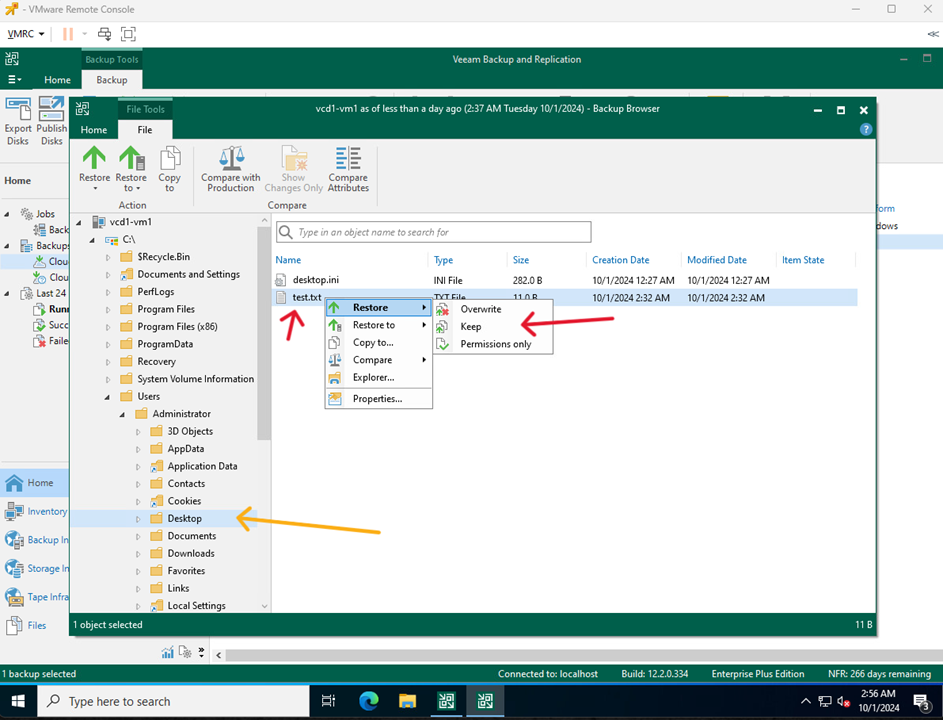
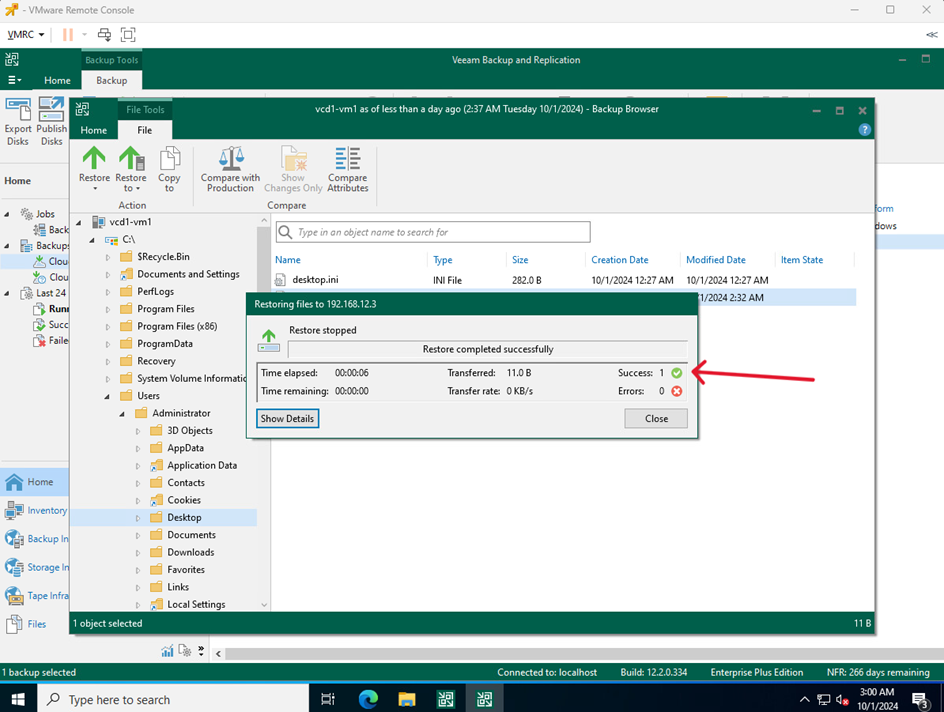
Find the deleted file, right click, select Restore > Keep
Wait until the process is complete.
Unless you have indicated otherwise, the file should be returned to its original location.