- Go to the virtual machine preview that simulates the working environment.
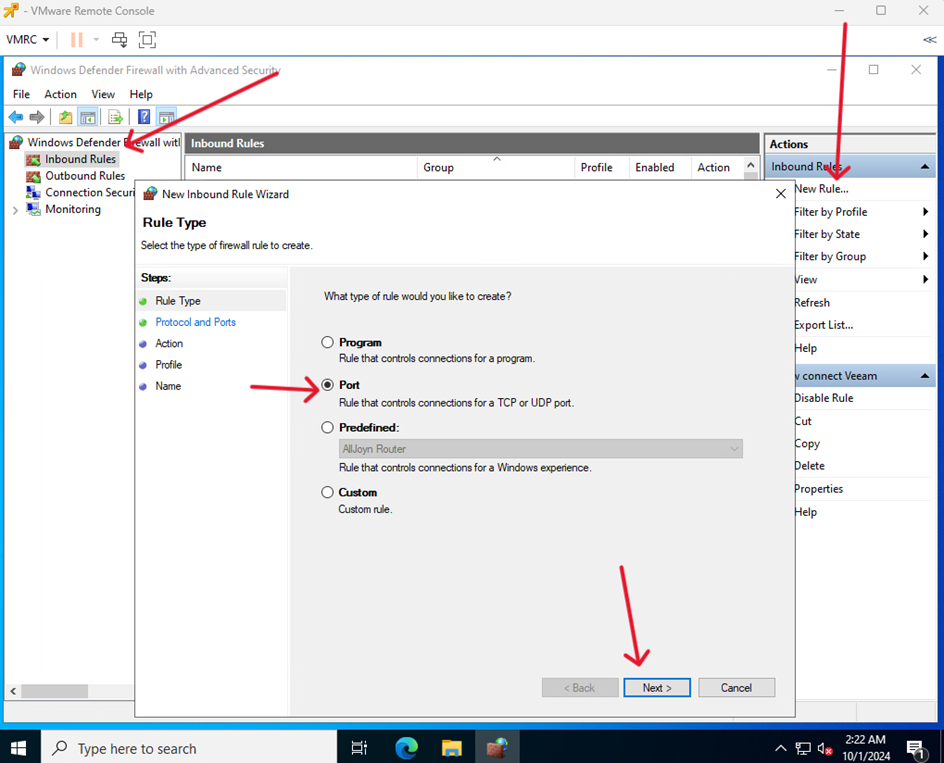
Go to Windows Defeder Firewal with Advenced Security > Inbound Rules
and click New Rules. Select Port and click Next.
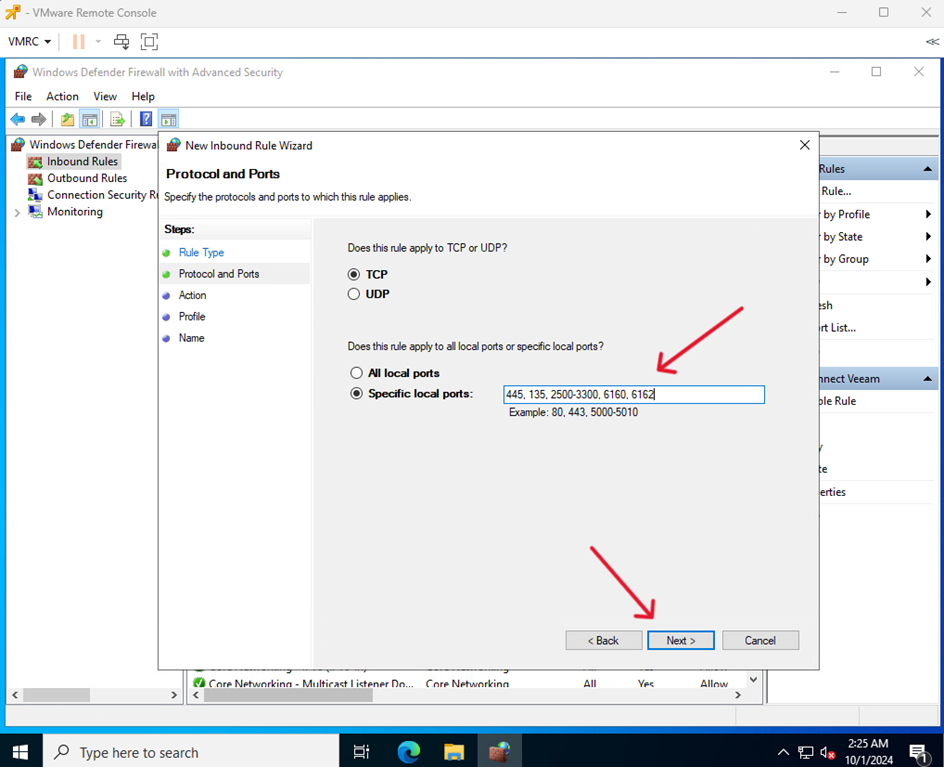
- Enter the ports that will allow Veeam to work: 445, 135, 2500-3300, 6160, 6162
Click Next.
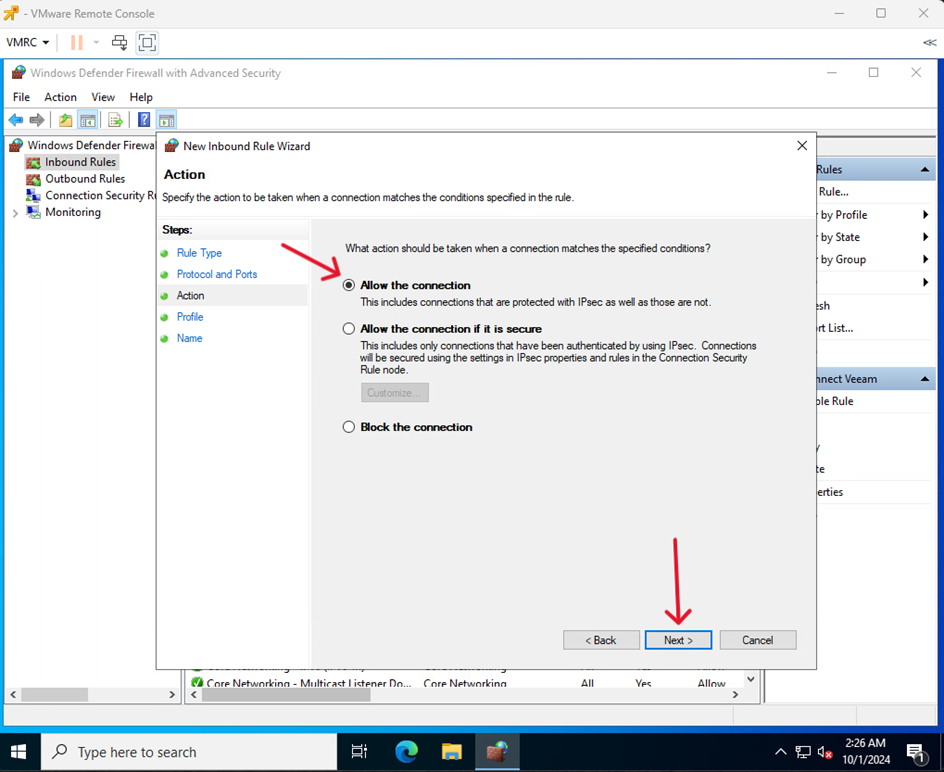
- Allow the connection and click Next
- Select the scope of the rule and click Next
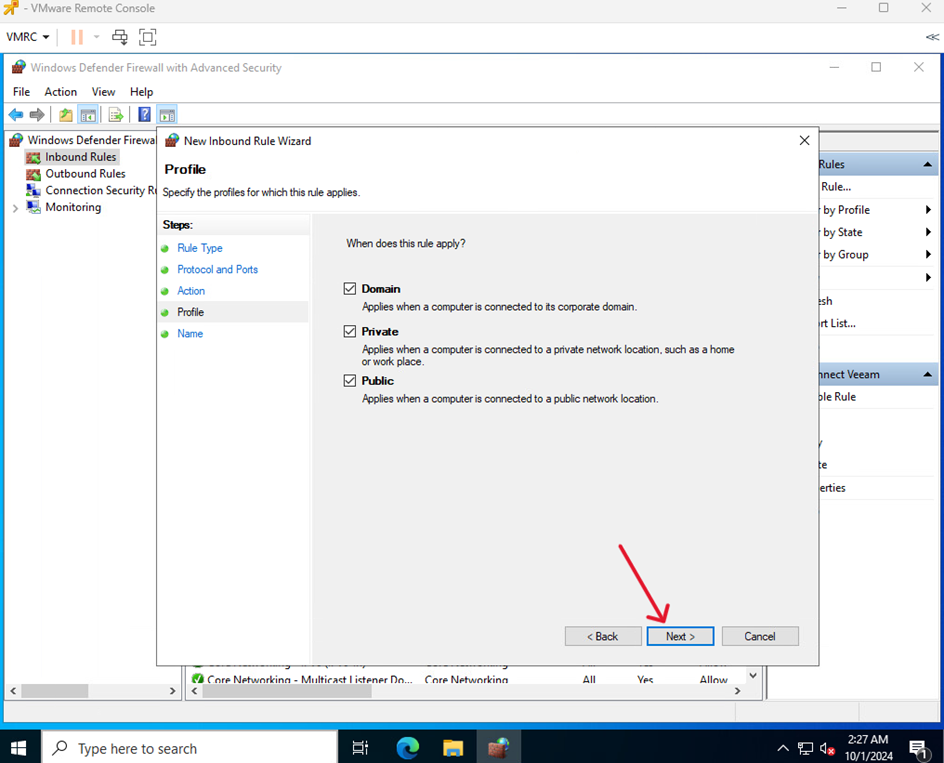
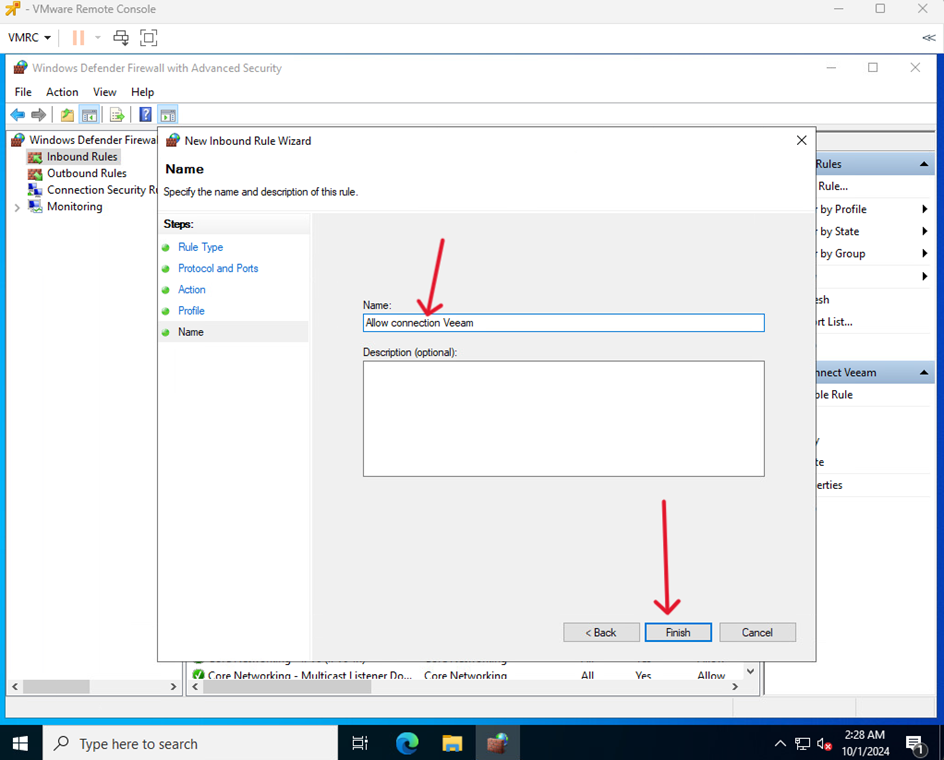
- Enter the name of the rule and finish the process by clicking Finish