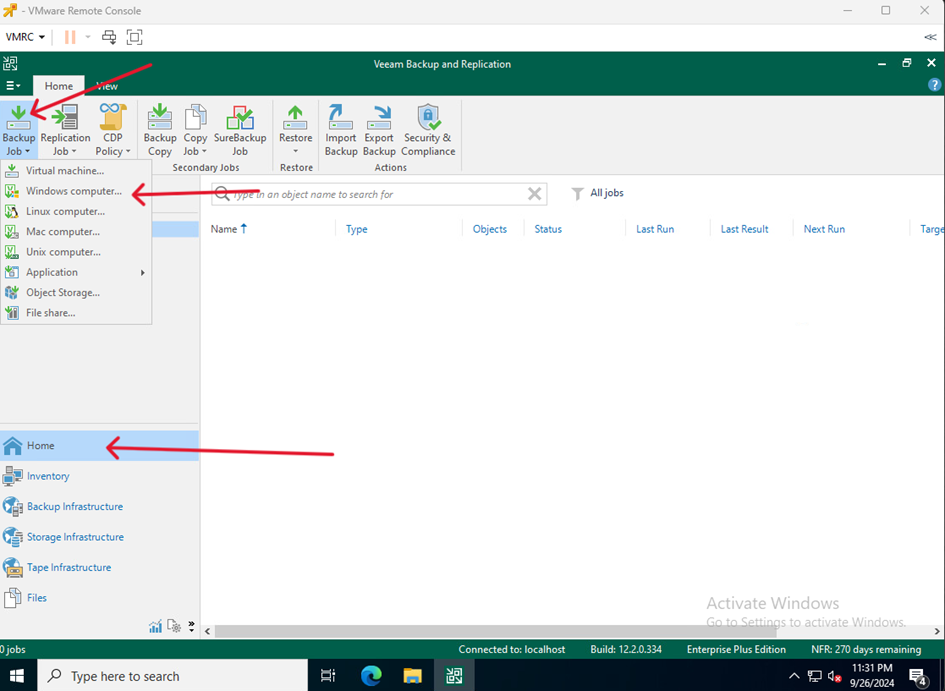
- On the VM serving as Veeam Server go to Home click Backup Job and select Windows computer…
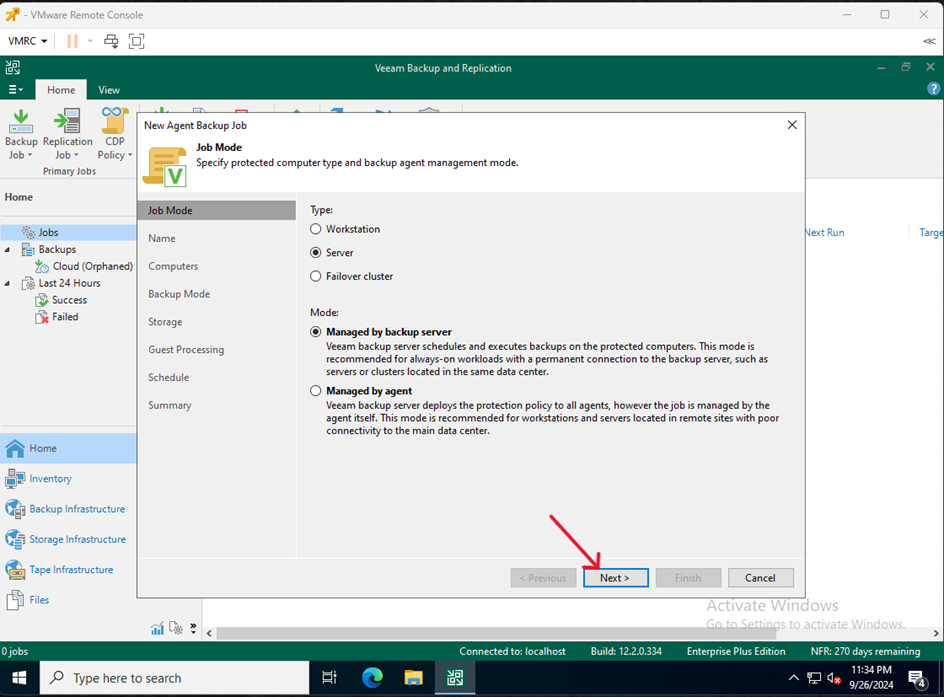
- Click Next
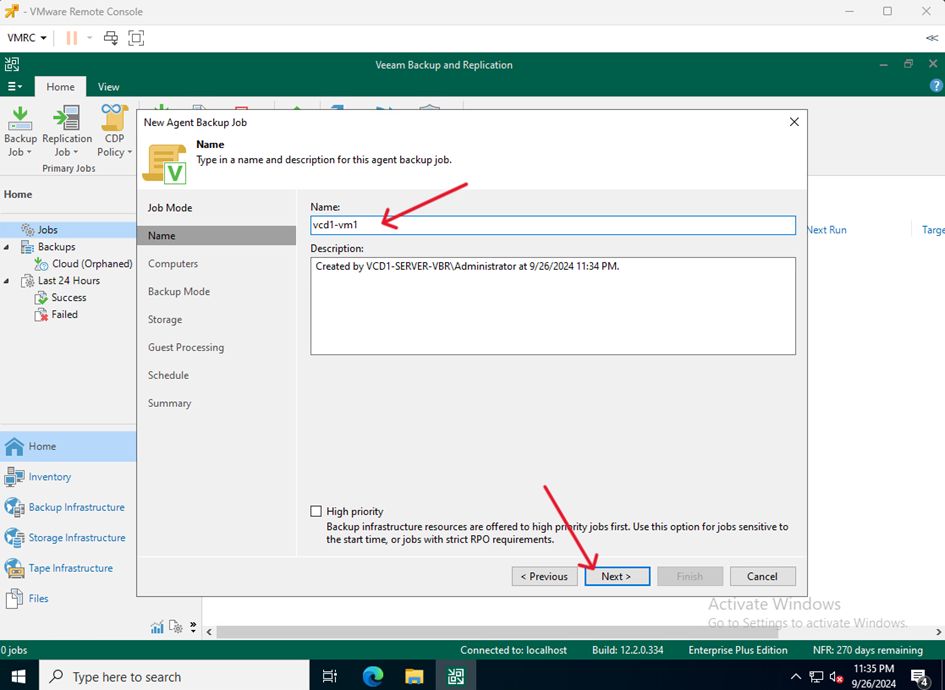
- Enter the task name and click Next
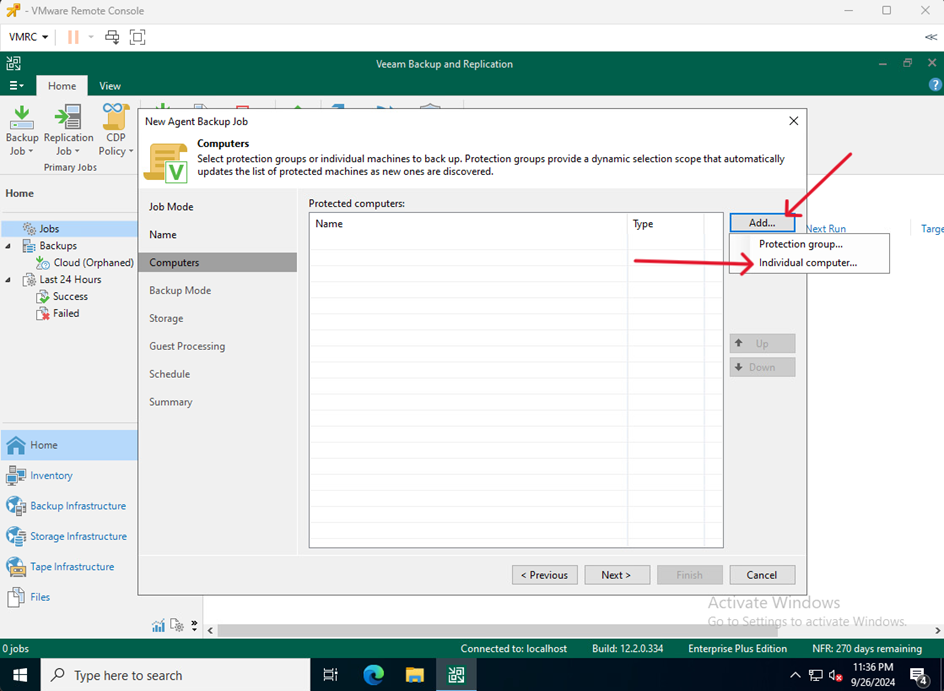
- Click Add… and choose Individual computer…
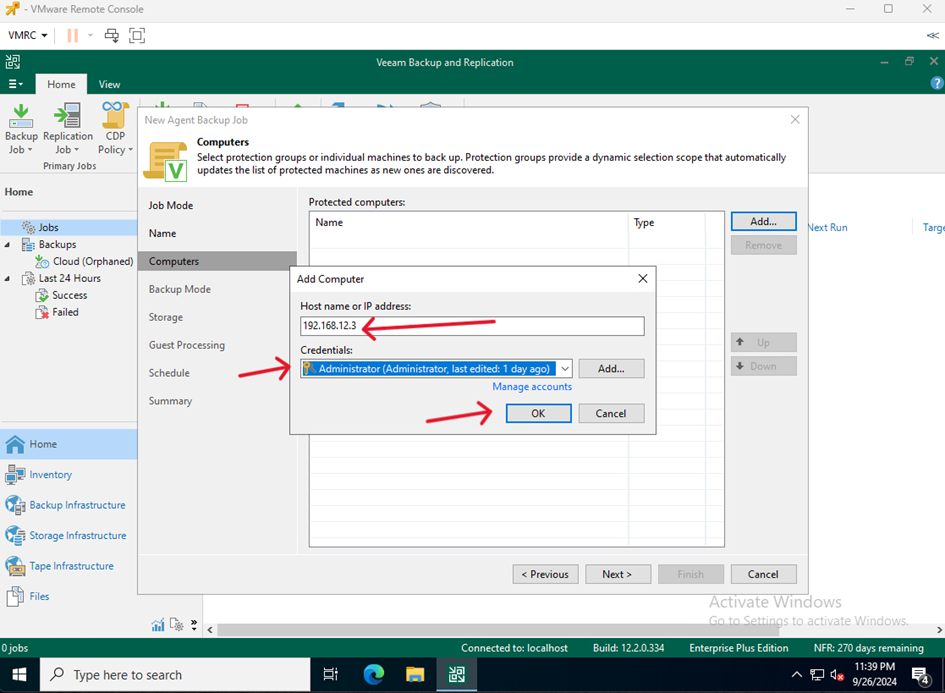
- Enter the internal IP of the machine with the test environment, enter the user login details of this machine and click OK
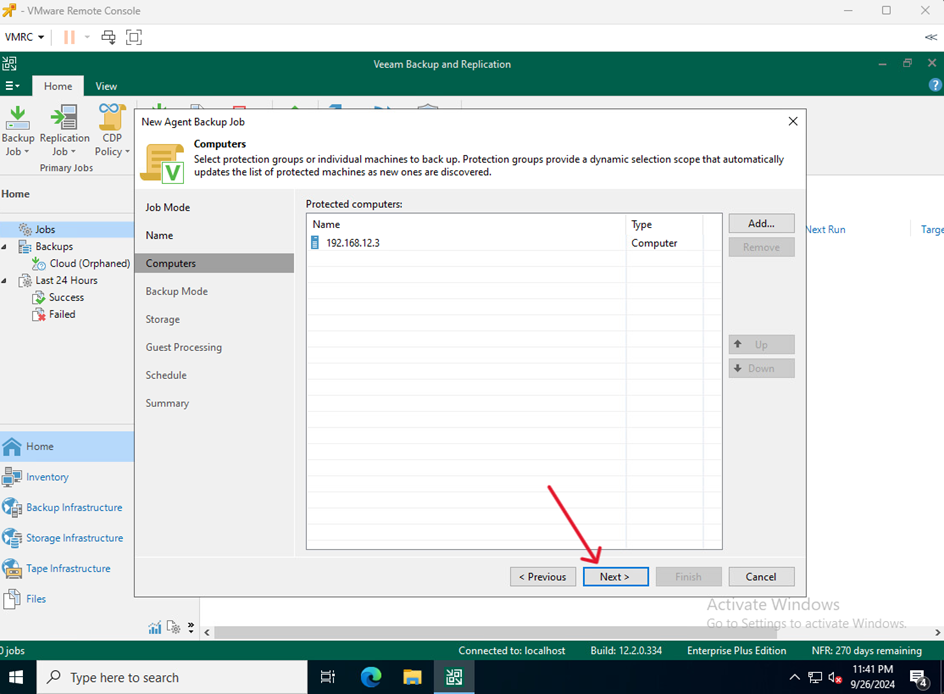
- Proceed by clicking Next
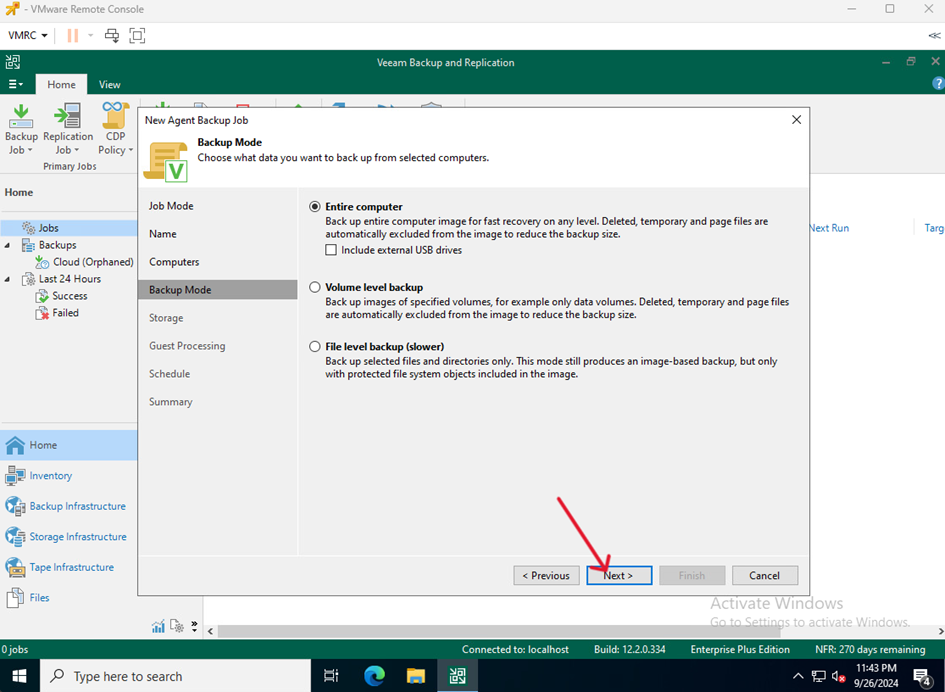
- Select the scope of the backup you want to perform and click Next
- Select the repository where you want to save your backups, adjust the settings and click Next.
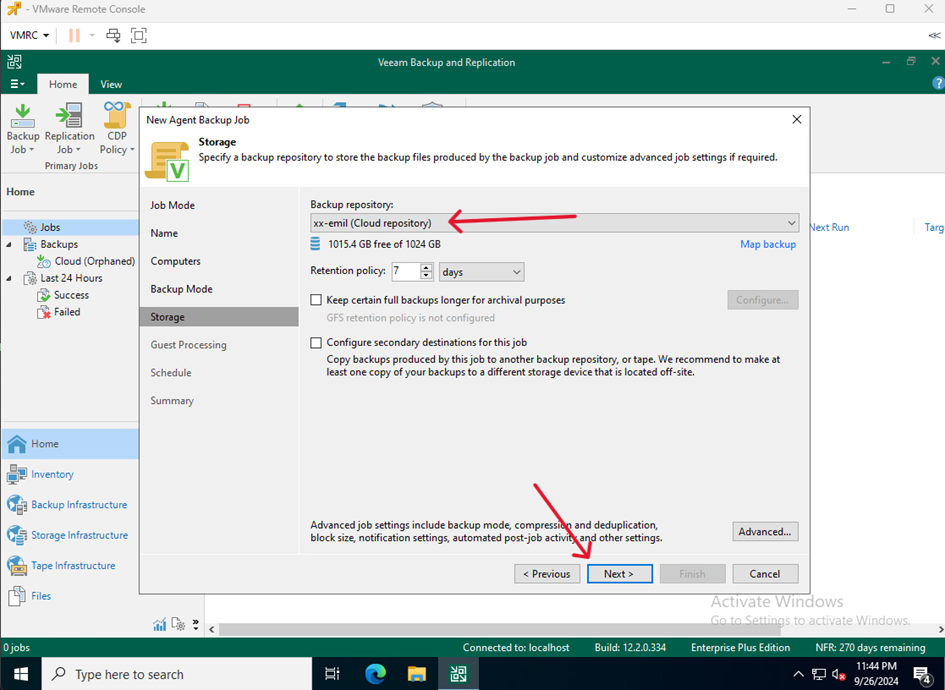
- Adjust the settings to your needs and click Next
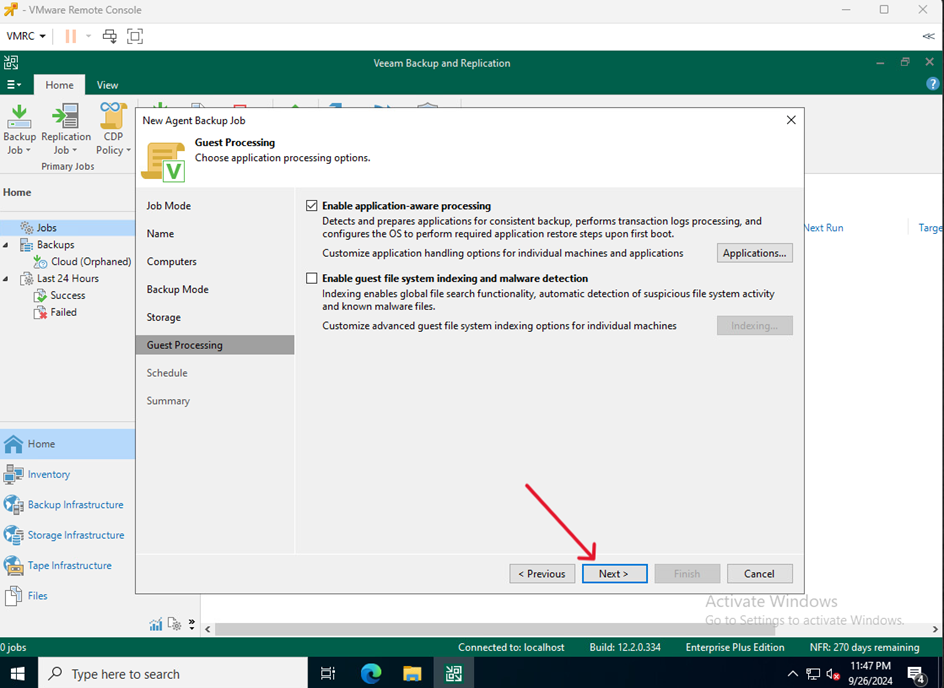
- Set a backup schedule and click Apply
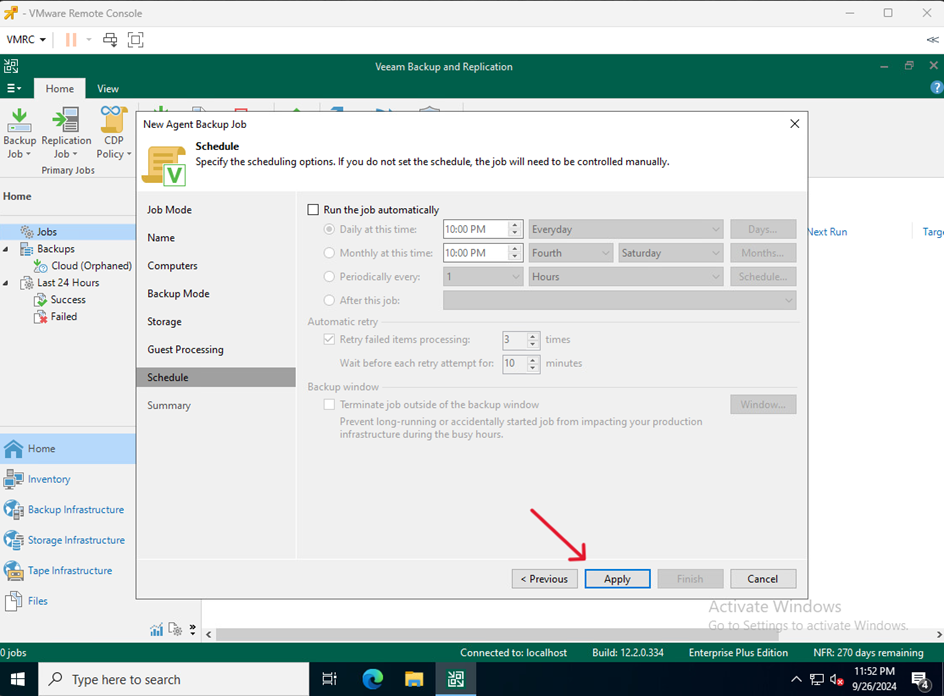
- Finish creating the task by clicking Finish
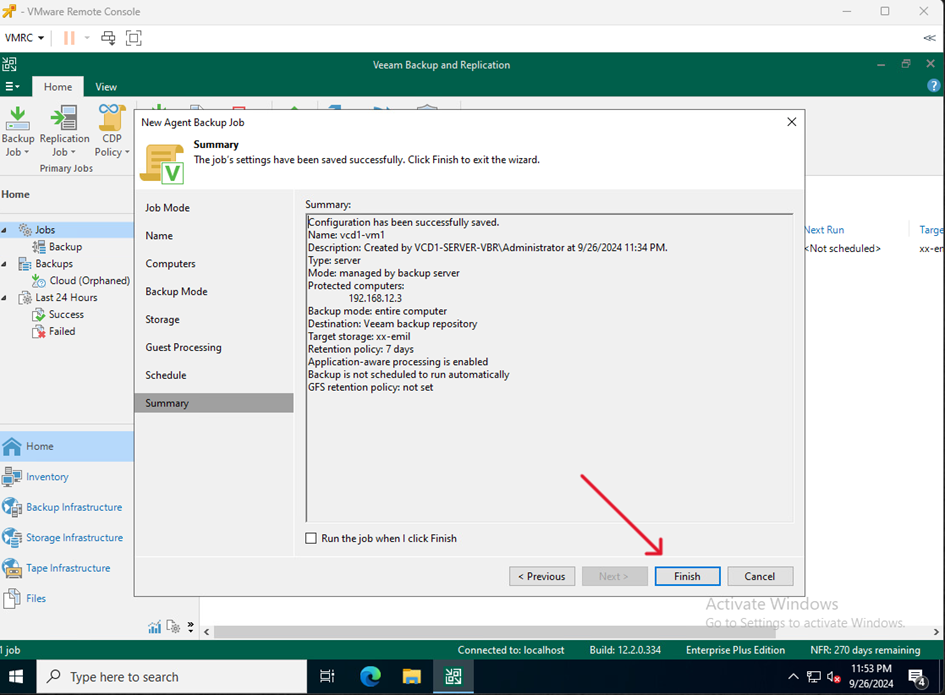
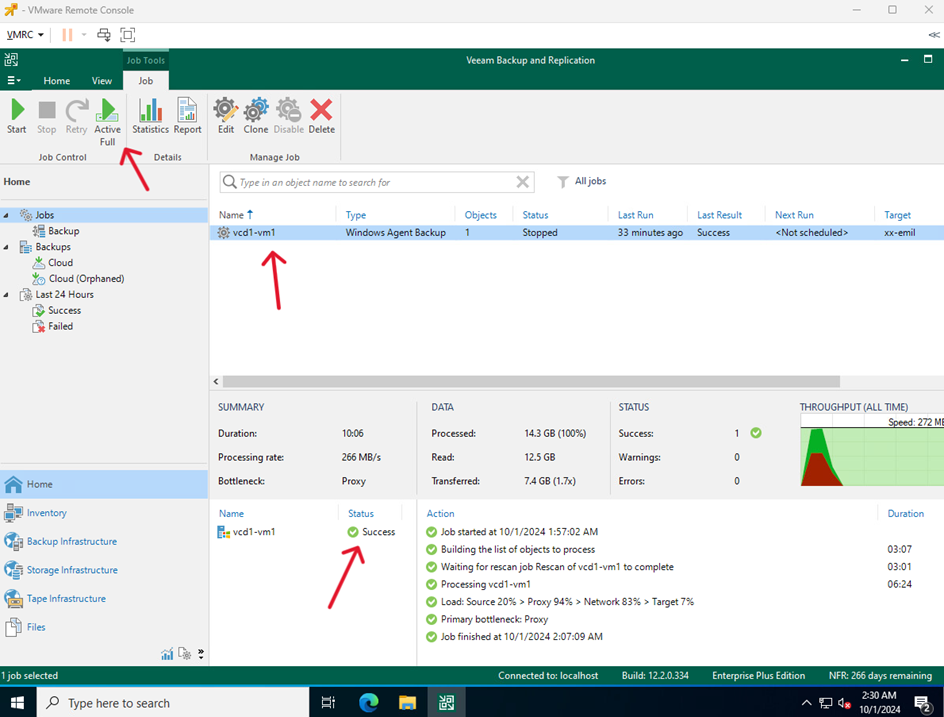
- Select the created task, choose Active Full and wait for the process to complete.